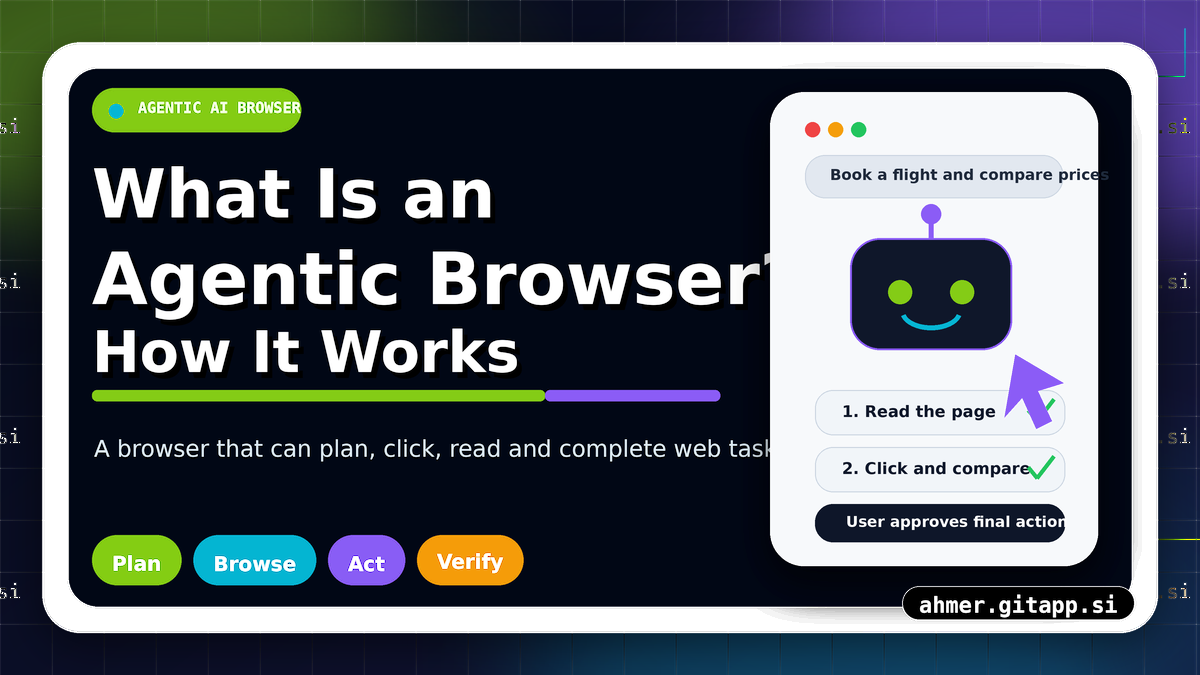
What is an agentic browser and how does it work?
An agentic browser is a web browser powered by an AI agent that can understand a user’s goal, browse websites, read page content, click buttons, fill forms, compare information, and complete multi-step tasks with limited human guidance. Unlike a normal browser where the user does every action manually, an agentic browser can plan and act on behalf of the user while still asking for permission when sensitive actions are involved.
Table of Contents
🤖 What Is an Agentic Browser?
An agentic browser is not just a browser with a chatbot sidebar. It is a browser environment where an AI agent can observe webpages, understand instructions, make decisions, and perform actions such as clicking, typing, scrolling, opening tabs, extracting information, and completing workflows.
The word “agentic” means the system can act like an agent. It does not only answer questions; it can take steps toward a goal. For example, instead of telling you how to compare prices, an agentic browser may open websites, compare prices, summarize options, and ask you before making a purchase.
Simple meaning: A normal browser lets you browse the web. An agentic browser can browse, understand, and act for you.
⚙️ How Does an Agentic Browser Work?
An agentic browser works by combining a browser, an AI model, web page understanding, task planning, and action controls. The AI receives your goal, breaks it into steps, observes the webpage, chooses the next action, and continues until the task is complete or needs your confirmation.
| Step | What Happens | Example |
|---|---|---|
| 1. User gives a goal. | The user writes what they want the browser to do. | “Find the best AI visibility checker tool.”. |
| 2. AI creates a plan. | The agent breaks the task into smaller actions. | Search, open results, compare features, summarize. |
| 3. Browser observes pages. | The system reads text, buttons, links, forms, and page layout. | It detects headings, tables, prices, reviews, and navigation. |
| 4. Agent takes actions. | The AI clicks, scrolls, types, opens tabs, and extracts information. | It opens product pages and collects details. |
| 5. User confirms sensitive steps. | The browser asks permission before payments, logins, or submissions. | “Do you want me to submit this form?”. |
| 6. Final result is delivered. | The browser provides a summary, completed task, or recommended action. | It shows the best option with reasons. |
🌐 Normal Browser vs Agentic Browser.
A normal browser is controlled by the user. You search, click, read, compare, and decide manually. An agentic browser can do many of these steps automatically after understanding your goal.
| Feature | Normal Browser | Agentic Browser |
|---|---|---|
| User Role | User performs every action manually. | User gives a goal and reviews important decisions. |
| Task Handling | Good for browsing one page at a time. | Good for multi-step tasks across websites. |
| Page Understanding | User reads and understands content. | AI reads, summarizes, compares, and extracts content. |
| Actions | Clicks and typing are done by the user. | AI can click, type, scroll, search, and navigate. |
| Decision Support | User compares everything manually. | AI can rank options and explain trade-offs. |
🧠 Main Features of Agentic Browsers.
The main feature of an agentic browser is task execution. It can move beyond answering a question and actually perform web actions. This makes it useful for research, shopping, booking, reporting, form filling, monitoring, and content discovery.
| Feature | What It Does | Why It Matters |
|---|---|---|
| Goal understanding. | Understands what the user wants to achieve. | Reduces manual searching and repeated instructions. |
| Web page observation. | Reads page text, links, buttons, forms, and layout. | Helps the agent interact with websites correctly. |
| Multi-step planning. | Breaks big tasks into smaller steps. | Useful for complex workflows like research or booking. |
| Action execution. | Clicks, types, scrolls, opens pages, and collects data. | Saves time and automates repetitive browsing work. |
| Human confirmation. | Asks before risky or sensitive actions. | Improves safety and user control. |
✅ Real Examples of Agentic Browser Tasks.
An agentic browser can be useful when a task requires several websites, repeated clicks, reading, comparing, and decision-making. It is especially helpful when the user wants an outcome, not just information.
| Use Case | What the Agentic Browser Can Do |
|---|---|
| Travel planning. | Compare flights, hotels, prices, dates, reviews, and travel rules. |
| Online shopping. | Compare products, ratings, prices, shipping costs, and return policies. |
| SEO research. | Check competitors, collect SERP information, review content gaps, and summarize findings. |
| Job search. | Find jobs, compare requirements, prepare application notes, and track listings. |
| Form assistance. | Help fill forms using user-provided information while asking before submission. |
📈 Why Agentic Browsers Matter for SEO.
Agentic browsers matter for SEO because the way users discover websites is changing. Users may ask AI agents to find the best tool, compare services, summarize reviews, or choose a product. If your website is difficult for AI agents to understand, your brand may be skipped.
For better visibility in agentic browsing, websites should be clear, crawlable, structured, and trustworthy. Pages with strong headings, direct answers, schema markup, comparison tables, FAQs, transparent pricing, and trust pages are easier for AI agents to understand.
| Website Element | Why It Helps Agentic Browsers |
|---|---|
| Clear headings. | Helps the AI understand page sections quickly. |
| Schema markup. | Gives structured meaning to content, products, FAQs, and organization details. |
| Simple navigation. | Makes it easier for AI agents to move around the website. |
| Visible trust pages. | Helps AI and users verify credibility. |
| Tables and lists. | Makes comparisons and summaries easier to extract. |
⚠️ Risks and Safety Concerns.
Agentic browsers are powerful, but they also need safety controls. A browser that can click, type, and submit information must be careful with passwords, payments, personal data, private accounts, and important decisions.
| Risk | Why It Matters | Safe Practice |
|---|---|---|
| Wrong action. | The AI may misunderstand a page or click the wrong button. | Require confirmation before final actions. |
| Privacy exposure. | The browser may handle sensitive personal data. | Limit permissions and avoid sharing unnecessary information. |
| Payment risk. | Purchases or subscriptions can have financial impact. | Always approve payments manually. |
| Fake websites. | The AI may visit unsafe or misleading websites. | Check domain names, HTTPS, reviews, and trust signals. |
Important: An agentic browser should assist users, not remove user control. Sensitive actions should always require clear human approval.
📚 Read Also.
Recommended Articles
- What Is AI Visibility and Why Does It Matter for SEO in 2026? Slug: what-is-ai-visibility-seo-2026.
- How to Check If Your Website Appears in ChatGPT, Google AI Overviews and Perplexity. Slug: check-website-appears-chatgpt-google-ai-overviews-perplexity.
- AEO vs GEO vs SEO: What Is the Difference and Which One Should You Focus On? Slug: aeo-vs-geo-vs-seo-difference.
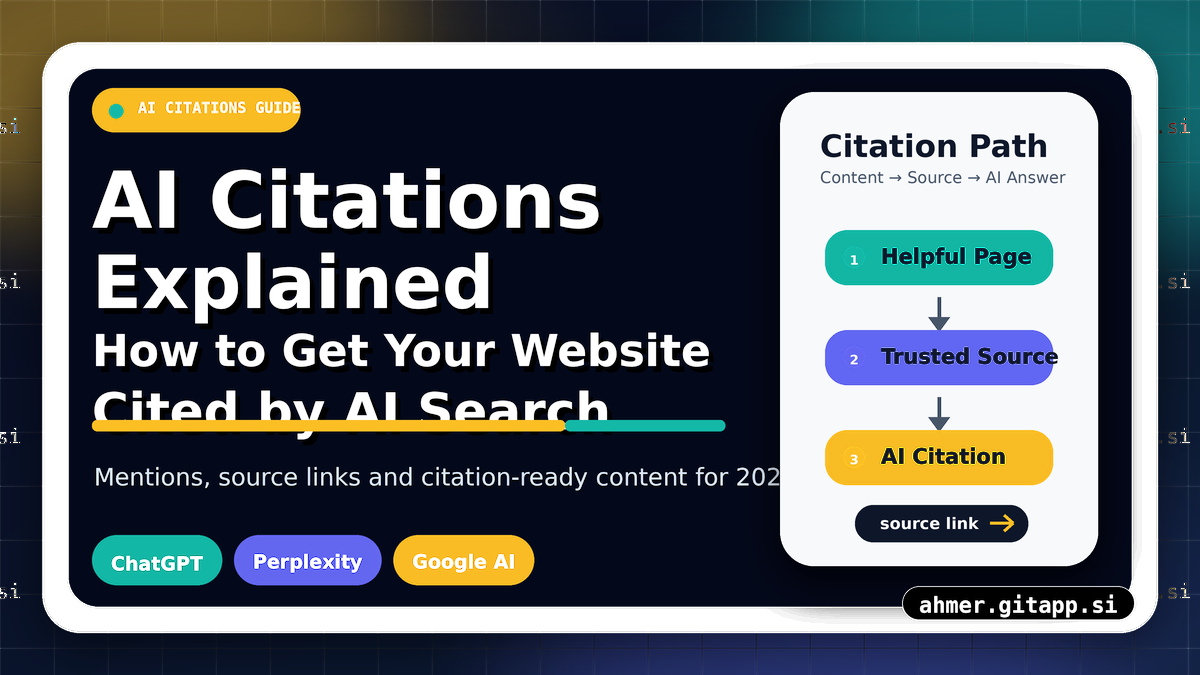
- AI Citations Explained: How to Get Your Website Cited by AI Search. Slug: ai-citations-explained-chatgpt-perplexity-google-ai-overviews.
🏁 Final Thoughts.
An agentic browser is a new type of AI-powered browsing experience that can understand goals and complete web tasks. It can search, read, click, compare, summarize, and assist users with complex workflows.
For website owners, this shift matters because future users may not browse every page manually. They may send AI agents to find answers, compare services, or choose tools. To prepare for this future, make your website clear, structured, trustworthy, crawlable, and easy for both humans and AI agents to understand.
❓ Frequently Asked Questions.
What is an agentic browser?
An agentic browser is an AI-powered browser that can understand a user’s goal and perform web actions such as searching, clicking, reading, typing, comparing, and summarizing information.
How is an agentic browser different from a normal browser?
A normal browser requires the user to do every action manually. An agentic browser can plan and complete multi-step tasks with AI assistance while asking for permission on sensitive actions.
Can an agentic browser fill forms?
Yes, an agentic browser can help fill forms if the user provides the required information. However, it should ask for user confirmation before submitting sensitive or important forms.
Are agentic browsers safe?
Agentic browsers can be useful, but safety depends on permissions, privacy controls, confirmation steps, and trusted websites. Users should avoid giving unnecessary sensitive information.
Why do agentic browsers matter for SEO?
Agentic browsers matter for SEO because AI agents may influence how users discover websites. Clear content, schema markup, trust signals, FAQs, and easy navigation can help AI agents understand and recommend your website.
Will agentic browsers replace traditional search?
Agentic browsers may not fully replace traditional search, but they can change how people search, compare, and complete tasks online. Websites should prepare for both search engines and AI agents.

Welcome to AI Visibility Checker - Free AEO & GEO Audit Tool — ahmer.gitapp.si. Here I share guides, articles and updates. Thanks for visiting!
Related Posts
Leave a Comment
No comments yet — be the first to comment!